The fifth skill in the free series turns video into something you don't just watch — you scrub it. Give it a set of clips and it builds a web page where scrolling drives the video forward and back, frame by frame, like a slider bar wrapped around your mouse wheel.
Where the idea comes from
You've probably scrolled through a page like this without knowing there was a name for it: an image or short clip that plays forward as you scroll down and reverses as you scroll up, perfectly synced to your scroll position instead of running on its own clock. It shows up in car configurators, product launch pages, big editorial features — anywhere a story wants to unfold at the reader's pace instead of the video's.
It's a genuinely great format and I hadn't seen it packaged as something you could just hand a folder of clips to. So that's what this skill does.
What the skill does
Give it a set of video clips, in the order you want them told, and it builds a single scrollable page. Each clip becomes a scene the reader scrubs through by scrolling — no timeline, no play button, no player controls at all. Here's the opening of a demo built from a drone-transform sequence I made earlier this year — a single aerial shot that morphs through four different visual treatments:

The intro screen — scrolling from here starts scrubbing through the first scene.
And here are the four scenes it walks through, each one a different clip: the real aerial footage, a 3D point-cloud version of it, a greybox massing pass, and a neon cyberpunk grade:
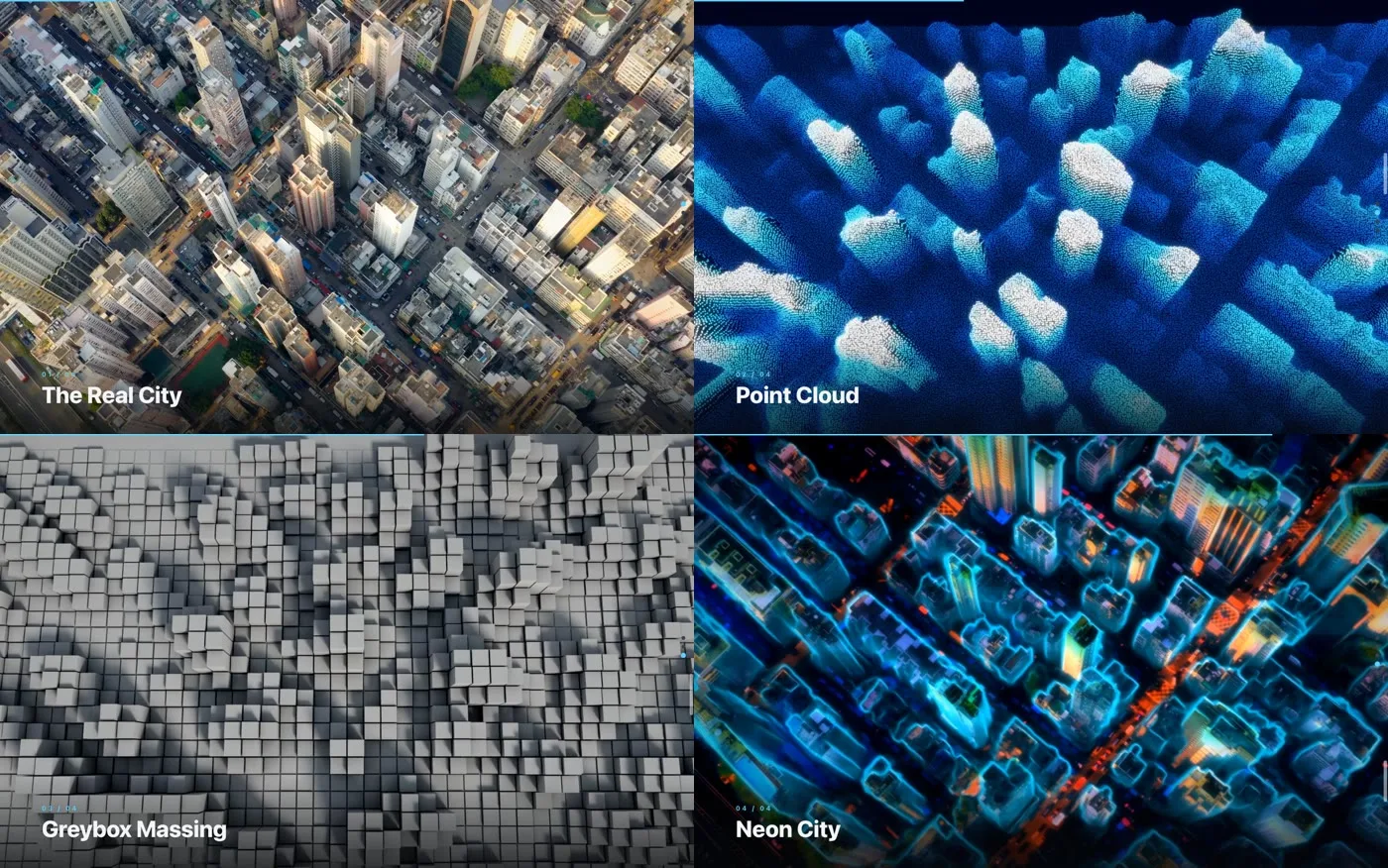
Four scenes, one scroll gesture — the reader controls the pace of the transformation.
What makes it feel smooth instead of laggy
A naive version of this idea just sets the video's current time to match scroll position, and it looks awful — jerky, stepping between frames instead of gliding. Two things in the skill fix that:
- A tiny keyframe interval on export. Scrubbing video smoothly means the browser can jump to almost any frame instantly, which needs very frequent keyframes. The skill re-encodes every clip with a keyframe roughly every quarter-second, so seeking never has to decode backward through a stretch of frames to catch up.
- Frame-rate-independent easing. Instead of jumping straight to the scroll position, the skill eases toward it — and that easing is time-based, not frame-based, so it looks identical whether the page is running at 30fps or 240fps. It also reacts to scrolling from three different browser signals at once, so it can't stall out on a track pad that reports events unevenly.
The result scrubs cleanly on a scroll wheel, a trackpad, or a touchscreen — including on mobile, where it still holds up:

The same walkthrough on mobile — scroll-scrubbing works with touch too.
How to use it
Point the skill at your ordered clips and it builds the page:
python3 scroll_walkthrough.py --clips ./scenes --out walkthrough/
Preview it locally with the skill's own server — this matters more than it sounds like it should:
python3 scroll_walkthrough.py --clips ./scenes --out walkthrough/ --serve
That flag exists because scroll-scrubbing needs the browser to seek around inside the video file, which requires the server to support partial (range) requests. Python's plain built-in web server doesn't, so a quick local preview with it just shows a frozen first frame. Any real web host handles this fine — it only bites you in local testing, which is exactly when you don't want to be debugging it.
Getting the skill
This is the fifth and final skill in my current free series — small, single-purpose tools for anyone new to Claude who wants a fast, satisfying win with real craft behind it. If you'd like this one, reach out or follow along on LinkedIn, where I've been sharing the whole set.